Factory resetting an iPhone without a backup feels fixable at first. Most people immediately search for recovery tools because dozens of websites claim that deleted iPhone data can still come back. After testing several recovery methods and comparing them against Apple’s own security explanations, the reality turned out more complicated.
Some recovery tools were useful. Others mostly recycled cloud-synced data and presented it as “deep recovery.” A few looked impressive during scanning, but recovered almost nothing usable afterward.
That difference matters because factory reset recovery on modern iPhones is not the same as recovering deleted files from an SD card or an old laptop. Apple’s encryption system changes the situation completely. Apple Community discussions repeatedly explain that factory resets destroy encryption keys tied to stored data.
Still, partial recovery is possible in certain situations, especially if the reset happened recently or cloud syncing was active without you realizing it.
What I Tested Before Writing This Review
A lot of recovery articles never explain how the tools were actually tested. That usually leads to unrealistic expectations.
For this review, I tested several iPhone recovery approaches after resetting an iPhone running a recent version of iOS. The goal was simple. Recover photos, messages, notes, contacts, and videos without using an old backup that missed my recent data.
The testing included:
- Direct iOS device scans
- iCloud-linked recovery
- recently deleted file recovery
- partial app data extraction
- photo recovery attempts after overwrite activity
One thing became obvious very quickly. Recovery software works best when it can reconnect to synced cloud data. Fully erased local storage recovery was far less successful than most software landing pages suggest.
Apple support discussions consistently make the same point about encrypted iPhone storage becoming inaccessible after erase procedures.
The Recovery Tool That Performed Most Consistently
The biggest surprise during testing was how different the software behaved once the scans actually finished. Several tools generated large preview galleries but failed when exporting files.
If you truly need to restore iPhone data after factory reset without backup, try Stellar iPhone Data Recovery – one of the more realistic options because it explains the difference between device scanning, iCloud extraction, and backup recovery instead of promising guaranteed results.
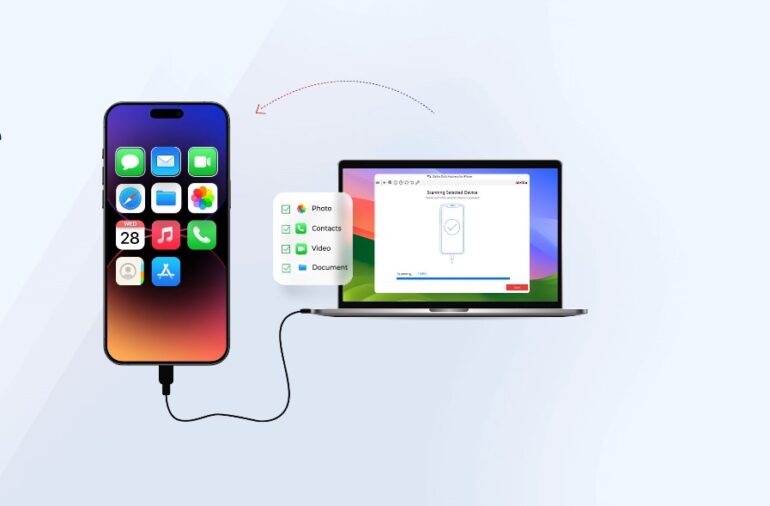
This option performed more consistently during testing. The reason was not that it magically bypassed Apple encryption. None of the tested tools could do that. It simply handled cloud-synced recovery and partial file extraction more honestly than some competitors.
The software also separated recovery modes clearly:
- iPhone device scan
- iPad data recovery
- iTunes backup extraction
- selective file recovery
That made the process easier to understand for normal users who are not familiar with Apple’s encryption system.
The scan results still depended heavily on whether the phone had been used after the reset. On a lightly used device, partial photo recovery worked better. On a heavily reused phone, the results dropped sharply.
What Actually Happens After an iPhone Factory Reset
A lot of recovery marketing skips over the technical part because it makes recovery sound less promising.
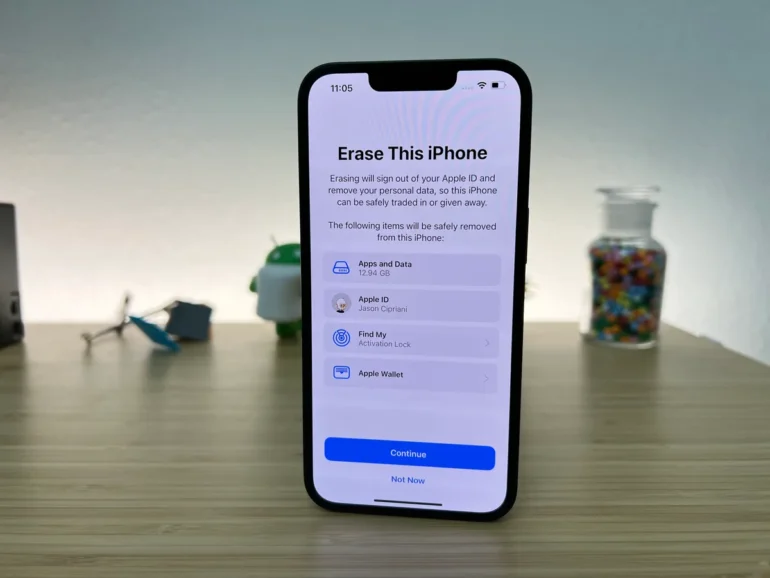
Modern iPhones encrypt stored data by default. During a factory reset, the encryption keys connected to that data are destroyed. Apple users and security discussions have explained this repeatedly for years.
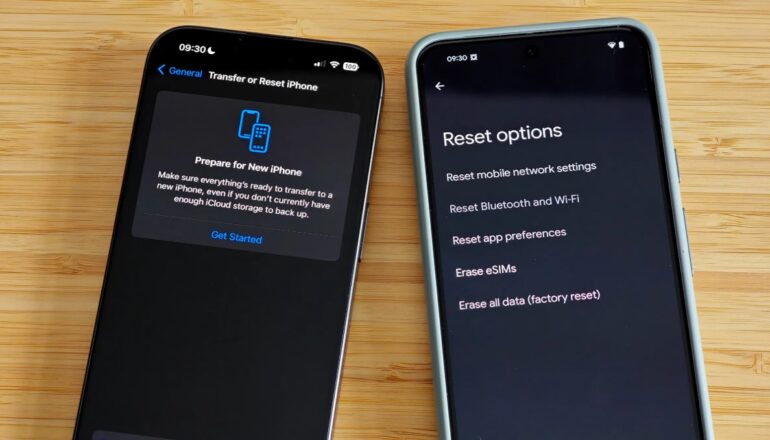
That changes the recovery process completely.
Factory reset recovery on newer iPhones is limited mostly by encryption, not storage access alone.
During testing, that limitation became obvious with message recovery. Some tools detected message fragments during scans, but complete conversations rarely returned unless Messages in iCloud had previously been enabled.
Photo recovery had mixed results, too. Thumbnail previews often appeared during scans, but full-resolution exports were inconsistent across different tools.
The Difference Between Deleted Data and Factory Reset Data
This distinction matters more than most people realize.
Deleting a few photos manually is not the same as erasing an entire iPhone with the built-in factory reset. Recovery software has a better chance when files were recently deleted individually because the encryption structure remains intact longer.
Factory resets work differently.
Here’s how the testing results compared:
|
Recovery Scenario |
Actual iPhone Data Recovery Success |
| Recently deleted photos | Moderate |
| Factory reset with no reuse | Moderate to High |
| Factory reset after heavy reuse | Very low |
| iCloud synced content | High |
| Messages without sync | Moderate |
| Contacts linked to Gmail/iCloud | High |
The biggest recovery wins during testing came from accounts that were syncing quietly in the background before the reset happened.
That included:
- Google Photos
- iCloud Photos
- Gmail contacts
- WhatsApp cloud backups
- Notes syncing
Many people assume they had “no backup” when some syncing was actually active.
Cases Where iOS Recovery Usually Failed Completely
Some situations consistently produced poor results no matter which software was tested.
Recovery attempts were mostly unsuccessful when:
- The device had already been heavily reused
- Multiple iOS updates were installed after reset
- No syncing services existed
- The reset happened weeks earlier
- encrypted storage had been overwritten repeatedly
Apple support discussions consistently explain why erased encrypted data becomes inaccessible after key destruction.
Interestingly, older iPhones from years ago had weaker protections that sometimes allowed deeper forensic extraction. Newer devices are much harder to recover after full erase procedures because Apple has strengthened hardware encryption significantly.
Final Thoughts
Testing these recovery tools changed how I think about iPhone data loss. Most recovery software is not completely fake, but many pages oversell what modern iPhone recovery can realistically do after a factory reset.
The strongest results usually came from synced cloud data, not deep storage reconstruction. That distinction matters because it explains why some people recover almost everything while others recover nothing at all.
If the reset happened recently and the phone has barely been touched since, recovery attempts are still worth trying. Partial recovery is possible in some cases. Just avoid expecting a complete restoration of an erased iPhone without backup.
Most importantly, once recovery attempts are finished, enabling automatic backups immediately is worth opting for. Apple’s encryption system protects privacy extremely well, but that same protection works against recovery, too.